Paid adult content services may offer weekly access, monthly memberships, annual plans, short introductory trials, or credit-based purchases. The price displayed most prominently is not always the amount that will be charged at checkout or renewal.
A plan advertised as “$0.99 per day” may be billed as one monthly amount. A low-cost trial may convert automatically into a full subscription unless it is canceled before the stated deadline. The merchant may also use a billing name that differs from the website name.
Before entering payment information, confirm the total charge, billing interval, renewal date, cancellation method, and expected statement descriptor. Saving these details is more reliable than assuming the service will send a reminder later.
4 Quick Steps to Check Billing Frequency and Renewal Notices Before Clicking "Subscribe"
Identify the exact billing unit
Find the amount that will actually be charged in one transaction. Distinguish among:
A weekly subscription.
A monthly subscription.
An annual plan paid in full.
An annual commitment collected through monthly installments.
A one-time content purchase.
A short trial that converts into recurring billing.
Do not calculate the cost from a daily equivalent alone. A page displaying “less than $1 per day” may still charge several months or an entire year in advance.
Review the order summary immediately beside the payment button. The page should identify the plan, total price, billing frequency, taxes or fees, and whether renewal is automatic.
Inspect trial period terms
Record the trial price, exact end date, standard renewal price, and length of the next billing cycle.
A trial described as “three days for $1” may become a weekly, monthly, or annual subscription. The first normal charge may also occur according to the merchant’s time zone rather than the user’s local time.
The FTC advises consumers to determine whether a trial will continue billing automatically, how much it will cost afterward, and how to cancel before providing card information. It also warns users to look for preselected boxes that authorize later charges.
Confirm renewal notification channels
Do not assume that every merchant must send an email or SMS before every renewal. Notification obligations vary by country, state, payment network, plan type, and subscription period.
Visa has specific requirements for certain trial and introductory subscription arrangements, including an electronic reminder at least seven days before the end of the trial or promotional period. Mastercard also maintains standards for recurring and negative-option billing, but those card-network requirements should not be interpreted as one global consumer law covering every transaction.
Check the merchant’s own terms for:
Whether reminders are sent.
How many days before renewal they are sent.
Which email address or phone number receives them.
Whether annual and monthly plans are treated differently.
Use an email address you can access securely, but maintain your own reminder even when the merchant promises to send one.
Locate the auto-renewal toggle
Determine whether automatic renewal can be disabled during checkout or immediately after purchase. Some services require the subscription to begin with renewal enabled and allow it to be turned off later.
Before paying, locate the account, billing, membership, or subscription page and confirm that a visible cancellation route exists. Avoid proceeding when the service does not explain how to stop future charges.
Insertion position: Directly below the 4-step checklist.
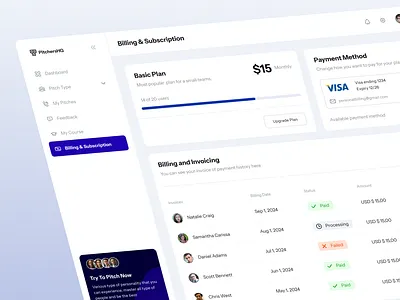
How Will the Charge Display on Your Bank Statement? (Billing Descriptor)
A billing descriptor is the merchant information shown beside a card transaction. It may appear on a statement, banking application, transaction alert, or payment receipt.
The descriptor may use:
The service’s public brand name.
A shortened company name.
A parent company.
A payment facilitator or marketplace name.
A combination of the processor and merchant names.
Visa’s current merchant-data standards generally require the merchant name to help the cardholder identify the business involved. A payment facilitator or marketplace may appear in the descriptor depending on the transaction structure.
“Discreet billing” does not mean the transaction is anonymous or invisible. The bank, card network, processor, and merchant still retain payment records. A neutral descriptor may also be identifiable through an online search.
Before purchasing, ask support what descriptor is expected. After the first charge posts, record the complete descriptor, amount, date, and order number. A pending descriptor may change when the payment is fully posted.
Common Auto-Renewal Traps in Adult Content Subscriptions to Avoid
Pre-checked auto-renewal boxes
A checkout page may preselect recurring billing, optional content bundles, or additional memberships. Review every checkbox and the final total before submitting payment.
Post-introductory price hikes
A discounted first week or month may renew at the regular rate. The problem is not necessarily that the regular price is higher, but that the difference may be displayed less prominently than the promotional amount.
The FTC has taken action against companies accused of obscuring annual commitments, cancellation fees, and post-trial charges. These cases show why users should distinguish a true monthly plan from an annual contract collected monthly.
Obfuscated cancellation buttons
Warning signs include a cancellation link that repeatedly returns to the account page, mandatory retention calls not disclosed before purchase, unexplained identity requests, or several screens designed to make the user abandon cancellation.
Complete every confirmation screen. Pressing “Manage Subscription” or “Continue Cancellation” may not finish the process.
Insertion position: Directly below the auto-renewal traps analysis section.
Legal Regulations on Service Renewal Notifications You Should Know
There is no worldwide rule requiring all monthly subscriptions to send a notice 3–7 days before renewal or all annual subscriptions to send one 15–30 days in advance.
In the United States, the FTC adopted a broad “Click-to-Cancel” rule in 2024, but the Eighth Circuit Court of Appeals vacated that rule on July 8, 2025. In March 2026, the FTC began seeking public comment on whether and how its existing Negative Option Rule should be amended. State automatic-renewal laws and general rules against deceptive billing may still apply.
Consumers should therefore not assume that one federal click-to-cancel requirement currently governs every US subscription. The applicable rules depend on the merchant, customer location, enrollment method, and state law.
In the European Union, businesses must provide important pre-contract information for online services. Consumers generally have a 14-day withdrawal right for distance contracts, but exceptions and special conditions can apply when digital content or services begin immediately with the consumer’s consent and acknowledgment.
Card-network rules can provide additional protections, such as trial reminders, confirmation of subscription terms, recognizable descriptors, and cancellation information. These standards are not identical to statutory consumer rights and may not create the same remedy in every jurisdiction.
Price Lock Guarantee Policies for Auto-Renewals (Lock-in Price)
A subscription price is not automatically locked merely because the user joined at a particular rate.
Some services offer a grandfathered or lifetime rate. Others reserve the right to change prices at renewal after providing notice. A promotional price may apply only to the first billing period.
Before subscribing, look for language covering:
The regular price after promotion.
The merchant’s ability to modify fees.
Required notice before a price change.
Whether continued use counts as acceptance.
The effect of canceling, upgrading, or changing plans.
Do not rely on advertising phrases such as “special member price” unless the terms clearly state how long that price remains valid.
Tips to Protect Your Financial Safety and Personal Info When Subscribing to Adult Services
Use Virtual Credit Cards Carefully
A virtual card can reduce exposure of the number printed on a physical card. Available features vary: some virtual cards are merchant-specific, some can be replaced quickly, and some allow spending controls.
A virtual card does not cancel the subscription agreement. If a payment fails, the merchant may suspend access, retry the payment, or claim that an unpaid amount remains due under the contract.
Do not set a card limit so low that a legitimate disclosed charge unexpectedly fails. Record which virtual number was used for each subscription.
Set Personal Calendar Reminders
Create at least two reminders:
Several days before the cancellation deadline.
On the expected renewal date.
Include the merchant name, expected descriptor, price, cancellation URL, and confirmation number.
Use a Separate Secondary Email
A dedicated subscription email can separate receipts and renewal messages from daily correspondence. Protect it with a unique password and multifactor authentication.
Check its spam folder before renewal dates. A separate address improves organization but does not make the subscription anonymous.
Protect Notification Privacy
Hide sensitive banking and email previews on the lock screen. This prevents nearby people from seeing merchant names or transaction amounts, but it does not remove the information from the account or statement.
Insertion position: Directly below the financial self-protection tips section.
Step-by-Step Guide to Safely and Quickly Cancel Auto-Renewal
Access Account Settings
Sign in through the official website or app. Open Account, Membership, Subscription, Billing, Purchases, or Payment Settings.
If the purchase was processed through Apple or Google Play, cancellation may need to occur in the corresponding app-store subscription settings rather than on the content website.
Execute Cancellation
Select Cancel Subscription, End Membership, or Turn Off Auto-Renewal. Continue until the service displays a final status such as:
Canceled.
Expires on a stated date.
Auto-renewal off.
No further billing scheduled.
Google Play confirms that uninstalling an application does not cancel its subscription. It also states that canceled subscriptions normally remain usable for the period already paid.
Save Proof of Successful Cancellation
Save the confirmation page, email, cancellation date, account ID, and support reference number. Avoid storing screenshots where they can be viewed by other users of the device.
Check Remaining Access Period
Access after cancellation varies. Many paid plans continue until the end of the current billing period, but trials, refunds, promotional plans, and policy violations may be treated differently.
Read the confirmation instead of assuming that access will always continue.
Deleting the app, removing a saved card, or closing the browser does not cancel the underlying subscription.
What to Do If You Are Unexpectedly Charged for Renewal?
Contact Customer Support
Confirm whether the charge is pending or posted and compare it with the plan terms. Request cancellation and a refund in writing.
There is no universal rule requiring adult platforms to refund a renewal within 24–48 hours when no content was viewed. Refund eligibility depends on the merchant’s terms, applicable law, payment channel, and circumstances.
File a Dispute/Chargeback with Your Bank
Use a charge dispute when the payment was unauthorized, the merchant continued billing after a documented cancellation, or the service materially differed from what was agreed.
The FTC recommends contacting the card issuer when a company refuses to stop charging after cancellation. Keep copies of the original terms, cancellation proof, support correspondence, and transaction record.
A chargeback is an investigation process, not a guaranteed refund. Do not describe a valid charge as unauthorized merely because the subscription was forgotten.
Emergency Card Lock
Locking the card may stop some new transactions, but recurring or previously authorized charges can be handled differently. Contact the issuer and ask whether it can place a merchant-specific stop-payment instruction on future recurring transactions. Visa provides issuer tools designed to stop eligible card-on-file and recurring payments, although availability depends on the bank.
Replacing the card should not be used as a substitute for canceling the subscription contract.
Before starting an adult content subscription, record the complete charge, billing frequency, trial conversion date, renewal price, cancellation route, and expected billing descriptor. Do not depend entirely on renewal notices. Notification rules differ, and messages can be delayed, filtered, or sent to an old address. Use virtual cards and separate email accounts as organizational and privacy tools, not as replacements for reading the subscription agreement. Save proof of enrollment and cancellation, review statements after the expected renewal date, and contact the issuer promptly when a charge is genuinely unauthorized or continues after a confirmed cancellation.